

It’s not always about having the big ‘fancy’ camera. Did you know you could take really awesome pictures with your iPhone? I knew I could get pretty decent pictures out of my iPhone, especially compared to phone cameras I’ve owned in the past. But, I had no idea that some of my favorite images could be ones taken using the camera on my phone. Of course you still need to (above all) find good light. Interesting composition and a steady hand doesn’t hurt either. Yes, that means hold it with two hands and use it like a camera not one handed like a phone. That said, since finding these apps I’ve started to put the same thought and effort into the photos I take with with my iPhone as I would the ones I take using my beloved DSLR (and I’m loving the results by the way). After all, my iPhone is the camera I always have on me so the least I can do is learn how to rock it.
This is one of my favorite apps for actually taking a picture. I like the ability to set your focus point and yet at the same time change your exposure. I tend to use this more when I’m in a tricky lighting situation (like backlighting) and want a little more control over my exposure. It does have a variety of filters available although I can honestly say I’ve never used one of them it is worth mentioning.
You can use VSCO Cam to take pictures much like Camera+ as well as do some basic edits like exposure, contrast, saturation etc. along with a cool fade affect. They have 10 filters you can select from… a couple of which I like a lot but I am a BIG fan of their black and whites. In my opinion it’s VERY intuitive and easy to use. Well worth the $0.99. In fact, I used it pretty much exclusively when I was starting out and still do. If I had to recommend one app for you to start with…start here.


AfterLight
(formerly Afterglow)
Another great app that has basic edits. There are fifteen adjustments in total that you can use to fine tune your image. What I really like AfterLight most for though is the variety of available filters. 39 to be precise. If you like playing with filters I highly recommend this app. My favorite feature about AfterLight’s filters is that you can adjust the strength at which they are applied.
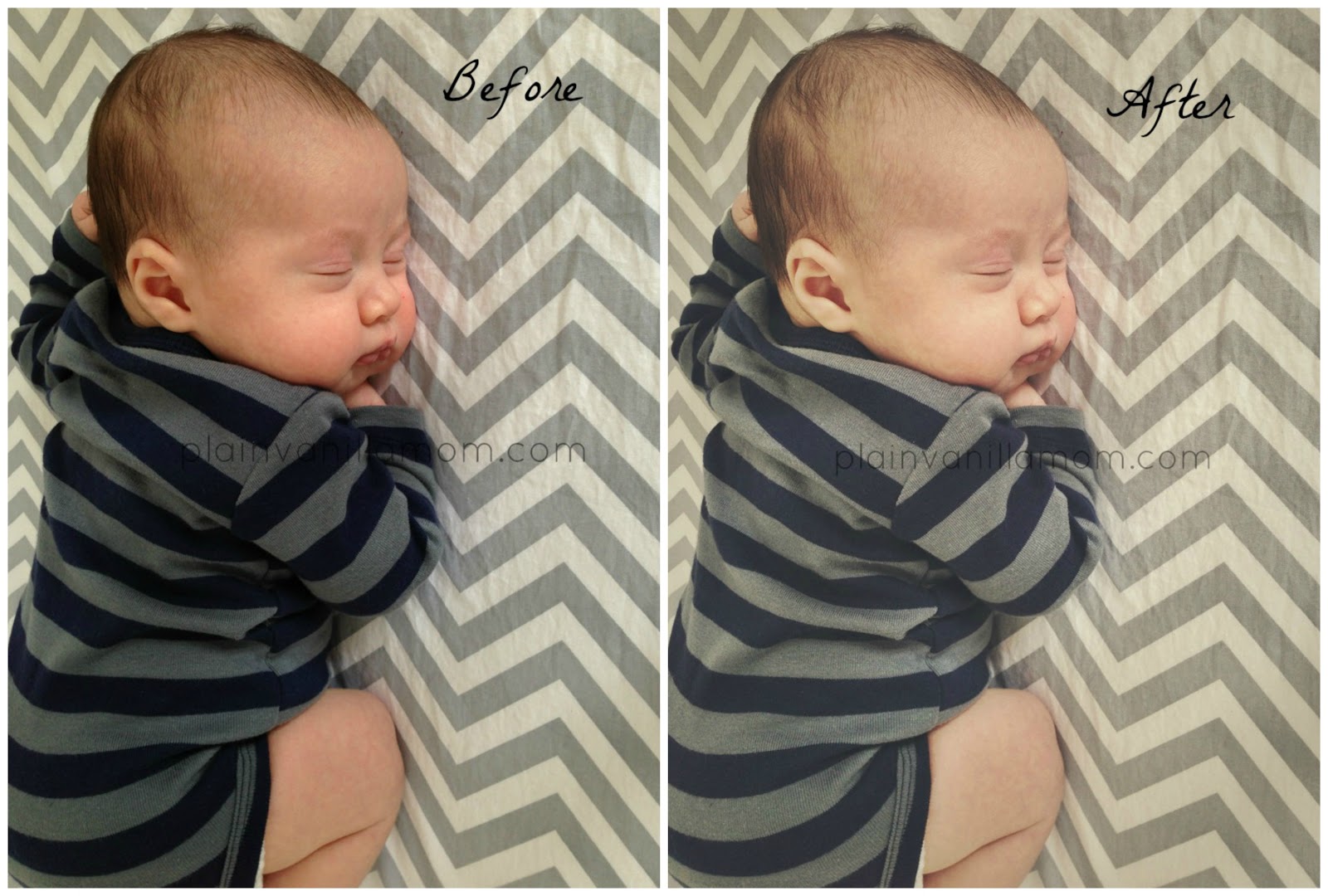
(Snapseed for Android click here)
Then there’s Snapseed… ahh wonderful snapseed! I could do a whole post on Snapseed (hmm there’s an idea). It is my absolute favorite app for editing at the moment, and it’s available for Android too. Almost every iPhone image I edit right now gets edited in Snapseed. Oh, and did I mention it’s FREE? There was a bit of a learning curve, (which probably would have been shortened if I had paid attention to the tutorial tips built into the app), there’s alot of swipping going on to control and access options, but it was worth the effort and now that I’ve learned it it’s super easy to use. I’m loving the black and white photos I am getting out of it and for other photos I often use it to brighten up the image, add a touch more contrast or pop some colors.


Of course there’s instagram. I love Instagram! Who doesn’t? But, there is a world outside of Instagram, in terms of editing anyway. I encourage you to explore it. Now, that said. I am loving and using instagram more and more these days. I would love to have you follow me there too! You can find me as JenniferPVM on instagram. Just request to follow me and see what we are up too. I post there quite frequently.
Do you have a favorite app I didn’t mention? I’d love to check it out so feel free to share it in the comments!
Remember, you can find us and Follow us on Facebook and Twitter if you aren’t already, and we are on Pinterest too!
The fine print: Just for the record I am not working with nor compensated by any of the companies associated with these apps. They are just apps I like that have made my photography a little bit better and I wanted to share them with you.